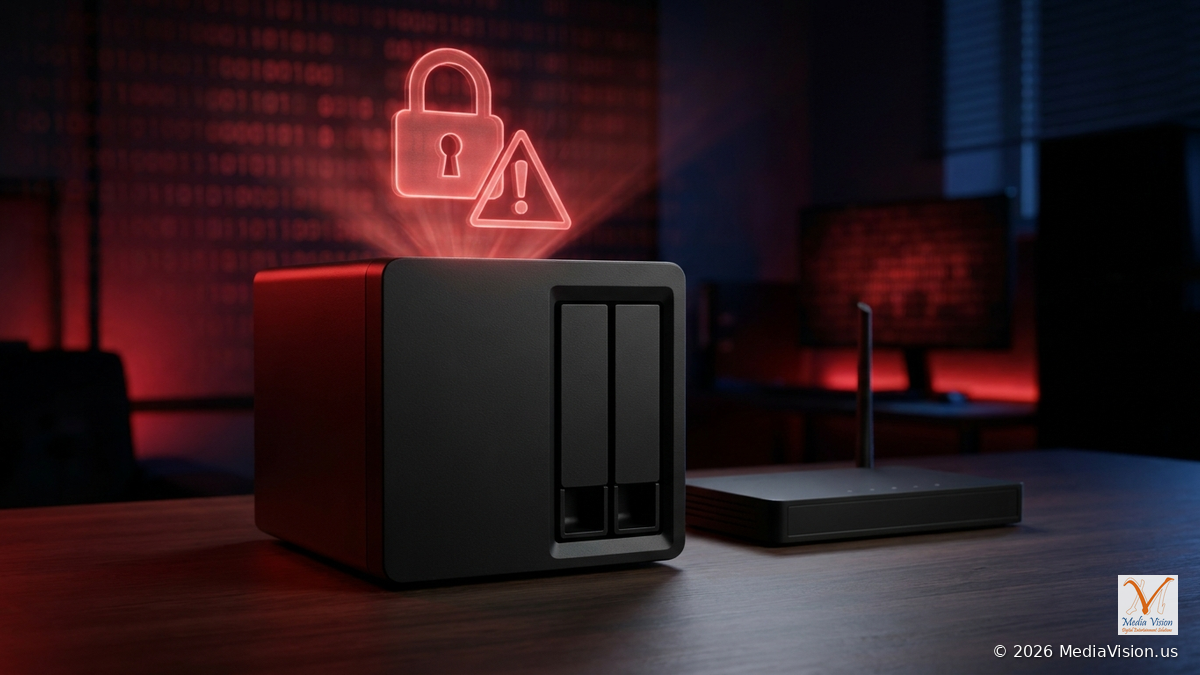
If your home or office uses a Synology NAS (network storage box) for files, photos, backups or security camera footage, check it today. Synology warned on October 29, 2026 that attackers are exploiting a vulnerability it patched back in December 2024 to encrypt data on NAS devices running outdated versions of its DSM software and demand a ransom. On November 18, 2026, the U.S. Cybersecurity and Infrastructure Security Agency (CISA) added the DSM flaw CVE-2024-10441 to its Known Exploited Vulnerabilities catalog, based on evidence of active exploitation.
What Happened
- The warning: Synology said threat actors are exploiting a vulnerability originally patched in December 2024, targeting devices running end-of-life versions of DSM, and that "these attacks aim to encrypt data and extort ransom." It urged all users on vulnerable versions to update DSM immediately and to turn on automatic updates.
- The flaw: Synology's warning does not name a CVE number; it points to its December 2024 fixes in advisory Synology-SA-24:20. The critical flaw in that advisory, and the one CISA has now listed, is CVE-2024-10441, rated Critical (CVSS 9.8). It can let a remote attacker run code on the NAS. The same advisory also fixes two lower-severity flaws, CVE-2024-50629 and CVE-2024-10445.
- The ransomware: Affected users have reported a ransomware called C3RB3R that renames locked files with a .L0CK3D extension and leaves a ransom note named read-me3.txt (BleepingComputer, The Hacker News).
- CISA: CISA added CVE-2024-10441 to its catalog on November 18, 2026. CISA says these types of flaws are a frequent attack vector and encourages all organizations, not just federal agencies, to prioritize fixing them.
Which DSM Versions Are Fixed
According to Synology-SA-24:20, update to at least these builds:
- DSM 7.2.2: 7.2.2-72806-1 or above
- DSM 7.2.1: 7.2.1-69057-6 or above
- DSM 7.2: 7.2-64570-4 or above
- DSM 7.1: 7.1.1-42962-7 or above
- DSM 6.2: 6.2.4-25556-8 or above
The advisory also lists BeeStation OS before 1.1-65374 as affected. If your NAS is on an older DSM version than these, it needs attention now. These are minimum builds: install the latest DSM update available for your model, since newer releases also fix later flaws. CISA's listing does not say who is exploiting the flaw or tie it to a specific ransomware campaign. When we rechecked on November 20, 2026, Synology's advisory still listed the same fixed builds.
What to Do Now
- Check your DSM version and update. Sign in to DSM and go to Control Panel > Update & Restore > DSM Update. Install any available update. If the update doesn't show up, you can download the update file for your exact model from the Synology Download Center and use Manual DSM Update. Synology notes updates can't be undone and recommends a backup first.
- Turn on automatic important updates. On the same page, select Update Settings and choose Automatically install important updates, which Synology recommends.
- Get the admin page off the internet. Synology recommends opening router ports only for services you truly need, and using a VPN for remote management instead of exposing DSM management ports directly to the internet.
- Lock down sign-ins. Turn on 2-factor authentication (Options > Personal > Security > 2-Factor Authentication in DSM 7), use strong unique passwords, make sure the default "admin" account is deactivated, and enable Auto Block under Control Panel > Security > Protection.
- Run Security Advisor. This built-in DSM app scans your settings and tells you what to fix.
- Make your data recoverable. Use Snapshot Replication with immutable snapshots on supported models (Synology recommends a 7 to 14 day protection period), and keep an off-site or cloud copy with Hyper Backup, following the 3-2-1 backup rule. A NAS by itself is not a backup.
If Your Files Are Already Locked
- Disconnect the NAS from the network (unplug the network cable) to stop further damage. Don't wipe or reset it.
- Don't pay or contact the attackers before getting advice.
- Write down what you see: the file extension, ransom note name and time.
- Check whether you have snapshots or an off-site backup from before the attack.
- For a business, report it and get professional help with recovery and evidence.
MediaVision Analysis
Many small offices set up a NAS years ago, opened it to the internet for remote access, and never updated it. That's exactly the kind of device these attacks target. If you don't know what DSM version your NAS runs, or who set it up, assume it needs a check.
How MediaVision Can Help
MediaVision helps homes and businesses in Anaheim and Orange County secure and recover network storage. We can:
- Check and update your NAS safely, with a backup first
- Close risky internet access and set up secure remote access with a VPN
- Turn on 2-factor sign-in, snapshots and off-site backups
- Investigate a ransomware attack and help recover data
- Give you a clear, honest quote before any work starts
MediaVision Computer Repair
800 S Brookhurst St, Suite 1B3, Anaheim, CA 92804
Phone: (714) 888-5959
Book Now
Frequently Asked Questions
Is my Synology NAS affected?
If it runs a DSM build older than the fixed versions listed above, it is vulnerable to CVE-2024-10441. Check Control Panel > Update & Restore.
My NAS is only used at home. Do I still need to update?
Yes. Ransomware doesn't care if it's a home or business device. Update, and avoid exposing the admin page to the internet.
Will updating DSM erase my files?
Synology says updating does not affect data on the NAS, but strongly recommends a backup before you start. Updates can't be rolled back.
Is a NAS a backup?
Not on its own. Keep at least one copy off-site or in the cloud, and use snapshots so you can roll back encrypted files.